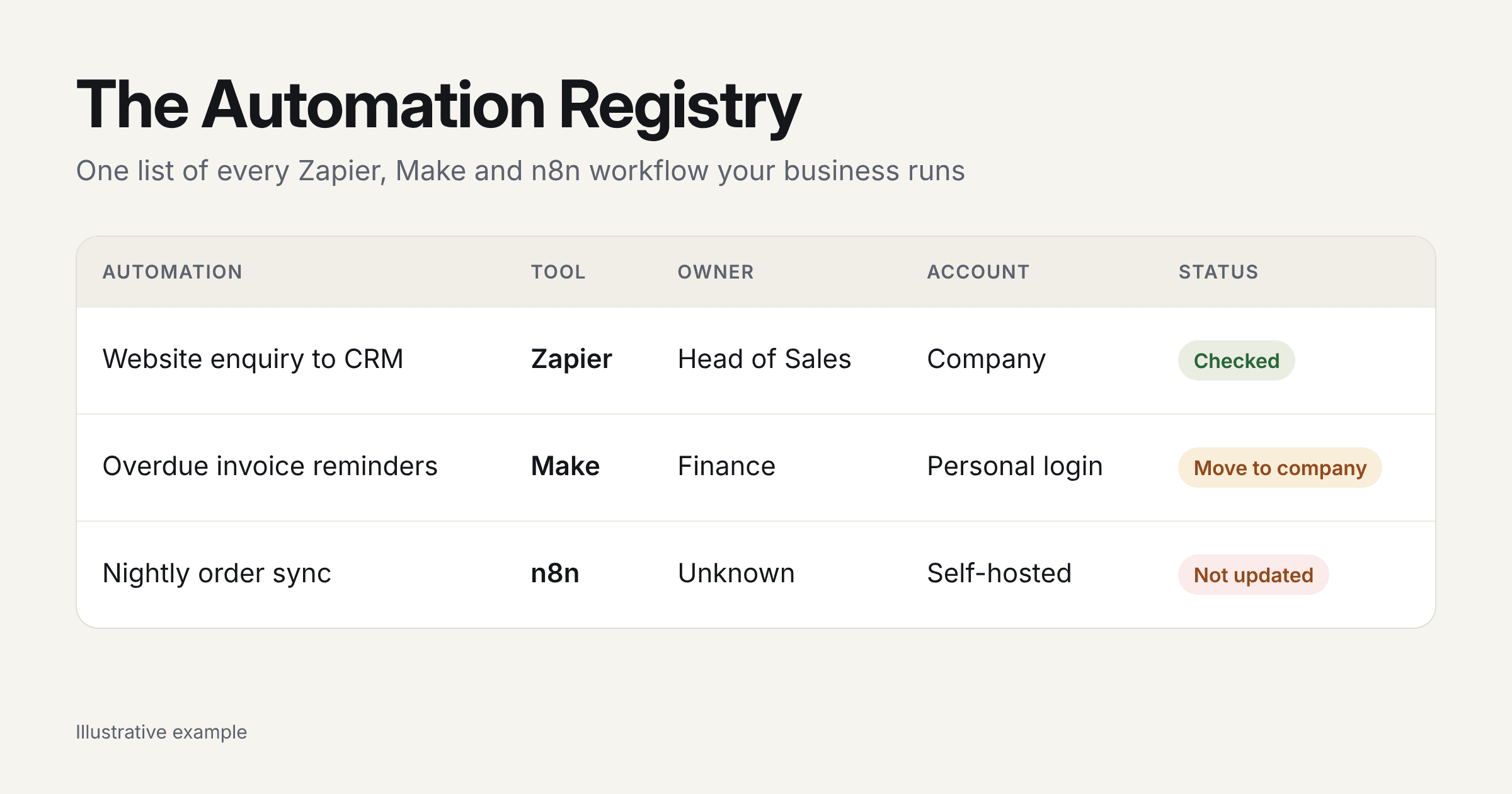
Quick answer: An automation registry is a simple, shared record of every Zapier, Make and n8n workflow your business runs, with an owner, the apps and data each one touches, and a plan for when it fails. Without one, automations become a hidden business risk: they break silently, leave with the people who built them, and hold customer data nobody has accounted for.
Key takeaways
It usually starts small. Someone in sales connects the website form to the CRM with a Zap. Someone in finance builds a Make scenario to send overdue invoice reminders. A developer sets up n8n to sync orders overnight. Each one saves hours, and nobody writes any of them down.
Two years later, the business runs on forty or fifty of these, spread across three tools and several people's logins. Nobody can say exactly what they all do. That is fine until one of them stops, or the person who built it hands in their notice.
We build and fix automations for business owners in the UK and US, and the first question we ask on almost every project is "what's already running?" The honest answer is usually "we're not sure". This guide explains why that matters and how to fix it with something we call an Automation Registry.
Why are Zapier, Make and n8n accounts a hidden business risk?
Because the risk isn't in any single automation; it's in not knowing what you have. Each workflow is easy to build and easy to forget. Together they quietly become part of how the business runs, without anyone owning them.
Here are the five ways that show up.
1. Automations leave with the people who built them
If the person who left owned the Zapier account, Zapier cannot transfer that account or its connected app accounts; your IT team may need to recover access through their email address. If they were a member of a Team or Enterprise account, an owner or super admin can transfer their workflows and app connections to someone else. That only helps if the business set up a company account in the first place.
The same applies to the connected apps. A Zap that logs into the CRM with a former employee's credentials will break the day their account is closed.
2. Failing automations get switched off, often without anyone noticing
Both tools protect themselves from broken workflows, as the table below shows.
| Tool | What happens when a workflow keeps failing |
|---|---|
| Zapier | A Zap that errors 95% of the time and has run more than 20 times in 7 days is turned off automatically. Team plans get a 24-hour grace period; Enterprise gets 72 hours. |
| Make | A scenario is disabled after 3 errors in a row by default. Scenarios started by a webhook are disabled after the first error. |
These are sensible safeguards. The problem is who hears about it. If error alerts go to the inbox of someone who left last year, leads simply stop arriving in the CRM and nobody knows why.
3. Self-hosted n8n needs security patching
n8n is popular because it can be self-hosted and is cheaper at volume. But self-hosting means you're responsible for updates. In 2026 alone, n8n has disclosed several critical flaws:
Patches were released for all of these. The risk is the n8n instance someone set up two years ago that nobody has updated since, and nobody remembers is there.
Platform rules and security issues in this guide were reviewed on 27 October 2026. Zapier, Make and n8n update their products often, so check their help pages for the latest.
4. Customer data flows to places nobody has recorded
Every automation that moves a name, email address or order is processing personal data. If you don't know which automations exist, you can't say where that data goes, which matters the first time a customer asks, a security questionnaire arrives or a regulator gets in touch.
5. Small changes break things nobody knew were connected
Rename a field in the CRM, change a form, or swap email tools, and an automation somewhere else stops working. Without a list of what depends on what, every change is a gamble.
What this looks like in real businesses
Two of our own client projects show the same pattern: lots of tools, lots of data, and no single picture of how it all fits together.
CloudFO (financial services). The finance team was working across five disconnected platforms, including Shopify, Xero, QuickBooks and Amazon. Reporting was slow, errors were creeping in, and leadership had no real-time view. We built one integration layer that pulls every source into a single place and puts it all into the same format before anyone uses it. The result: reporting 62% faster, forecasts 45% more accurate and errors down 70%. CloudFO's CTO says the system "has been running flawlessly since day one." Read the CloudFO case study.
Sidechain (recruitment). An HR team was typing candidate data into spreadsheets by hand, across tools that didn't connect, while key roles went unfilled. Once the work was automated, manual data entry fell by 80% and candidate matching got 50% faster. Read the Sidechain case study.
Both projects show the same thing: the hard part isn't building one automation. It's knowing every tool and data source involved and how they connect. That's what a registry gives you.
What is an automation registry?
An automation registry is one shared list of every automation your business runs, kept up to date. It isn't software and it doesn't replace Zapier, Make or n8n. It's a record that sits alongside them, so anyone in the business can see what's running, who owns it and what to do when it breaks.
Think of it like an asset register, but for workflows. You may also hear it called an automation inventory. It's the fix for what's often called shadow automation: workflows built by teams outside IT's view, which nobody else knows exist.
What goes in it
You don't need much. These ten columns cover what matters.
| Column | What to write | Example |
|---|---|---|
| Name | A plain description | New website enquiry to CRM |
| Tool | Zapier, Make, n8n or other | Zapier |
| Account | Whose login it runs under | sales@company.com (company account) |
| Business owner | The person responsible for it | Head of Sales |
| Apps connected | Every system it reads from or writes to | Website form, HubSpot, Slack |
| Personal data | What personal data it moves | Name, email, phone |
| Trigger and frequency | What starts it and how often | Every new form, about 20 a day |
| If it stops | The business impact | New leads don't reach sales |
| Who gets alerts | Where error emails go | Shared ops inbox |
| Last checked | When someone last confirmed it works | 15 Oct 2026 |
A shared spreadsheet is enough to start. What matters is that it lives somewhere the business owns, not in one person's files.
How to build your first registry in an afternoon
How to keep it up to date
For your most critical automations, add a short runbook: what it does, how to tell it's working and what to do if it fails. We explain how in runbooks, not random scripts.
Does a business need an automation registry for compliance?
Not by that name, but in the UK it overlaps with records you may already have to keep. In the US, it makes customer security reviews and privacy questions far easier to answer.
| Market | Why a registry helps |
|---|---|
| UK | Under UK GDPR, organisations with 250 or more employees must document all their processing activities. Smaller organisations must still record processing that is regular, risky or involves sensitive data, and the ICO calls documentation good practice for everyone. Automations that move customer data are part of that processing. |
| US | There's no single federal privacy law, and rules vary by state. But larger customers' security questionnaires routinely ask which tools hold their data and who can access them. A registry gives you the answer in minutes rather than days. |
This is a summary, not legal advice. Check your own obligations with your DPO or a lawyer. For more on keeping automation under control, see our AI automation governance guide.
When should you get help?
A registry is something you can start yourself, and we'd encourage you to. It's worth bringing in help when:
That last decision is one we help with often. Sometimes the answer is to keep the tools and tidy them up. Sometimes a business-critical process has outgrown them. We compare the options in Zapier vs custom automation.
How Axonari can help
Axonari is an AI automation and web engineering practice with offices in London and Jaipur, working with business owners in the UK and US. If your registry turns up risks you don't have the time or team to fix, this is how we help:
We're rated 5.0 on Clutch and Top Rated Plus on Upwork. See our AI automation service →
About the author
Kartik Anand is a Partner at Axonari. He works on automation in regulated sectors, including healthcare, financial services and manufacturing, where knowing exactly what runs and where data goes comes before any build. Axonari has offices in London and Jaipur.