Quick answer: An AI receptionist is software that answers your phone calls for you. It listens to the caller, works out what they need using information about your business, and replies in a natural voice. It can take a message, answer common questions, book an appointment or put the call through to a person. Most small businesses pay between £30 and £120, or $49 and $300, a month for a ready-made service.
Key takeaways
Every small business owner knows the moment. You're with a customer, on a job or finally sitting down to eat, and the phone rings. You can answer it and lose focus, or let it go to voicemail and hope they leave a message. Plenty of callers don't. They just ring the next business on the list.
An AI receptionist is built for exactly that gap. It doesn't replace a great human receptionist. It makes sure every call gets answered, including at 7am, at lunchtime and on a Sunday.
This guide explains how an AI receptionist works, what it really costs, and how to tell whether you need a simple off-the-shelf tool or something connected to the rest of your business.
How does an AI receptionist work?
An AI receptionist answers a call, turns what the caller says into text, decides what to do, and replies out loud. All of this happens in a second or two, so the conversation feels natural.
Here's what happens on a typical call:
The quality of step 3 depends almost entirely on you. An AI receptionist only knows what you tell it. A business with clear, written answers to its common questions gets a much better result than one that switches it on with a single paragraph about itself.
What an AI receptionist can do well
Where it still struggles
The best setups plan for this. The AI handles the routine calls and passes everything else to a person, quickly and with a summary of the call so far.
How much does an AI receptionist cost?
A ready-made AI receptionist costs about £30–£120 or $49–$300 a month for most small businesses, with busier plans up to $775. The price depends on how many calls or minutes you need and which features you want, such as calendar booking or live transfers.
We checked each provider's own pricing page on 4 November 2026 and list the published plans that suit a small business. Prices exclude VAT and sales tax unless stated.
| Provider | Price per month | What's included |
|---|---|---|
| The VoIP Shop AI Receptionist | £30 or £120, excluding VAT | 100 or 450 minutes, then 30p a minute. Transfer to a live person included. |
| Fasthosts AI Receptionist | £39, £69 or £99 after an introductory offer | Appointment booking on the two higher plans |
| Rosie (heyrosie.com) | $49, $149 or $299 | 250, 1,000 or 2,000 minutes. Calendar booking and live transfers from the $149 plan. |
| Moneypenny AI Receptionist | $99, $199, $435 or $775 (listed prices) | 50, 100, 250 or 500 calls, then $1.69–$2.39 a call. Human escalation included. |
| Smith.ai AI Receptionist | Free, $150 or $500 | Free plan covers 25 calls, then $3 a call. Paid plans work out at about $2 or $1.67 a call. |
Plans, included minutes and extra-usage rates change often, so check the provider's own page before you sign up.
Per minute or per call: why it matters
Some providers charge by the minute, others by the call. Which one suits you depends on how long your calls are.
If most of your calls are quick ("Are you open on Saturday?"), per-minute pricing usually works out cheaper. If your calls are long, such as booking a consultation with lots of questions, per-call pricing can be better value. Before you choose, look at last month's phone bill and work out your average number of calls and how long they lasted.
A worked example
Say your business gets 120 calls a month and the average call lasts 3 minutes. That's 360 minutes a month.
| Plan | How it adds up | Monthly cost |
|---|---|---|
| The VoIP Shop Premium | £30 + 260 extra minutes at 30p | £108 + VAT |
| The VoIP Shop Ultimate | 450 minutes included | £120 + VAT |
| Rosie Scale | 1,000 minutes included | $149 |
| Moneypenny Tier 2 | 100 calls + 20 extra calls at $2.19 | $242.80 |
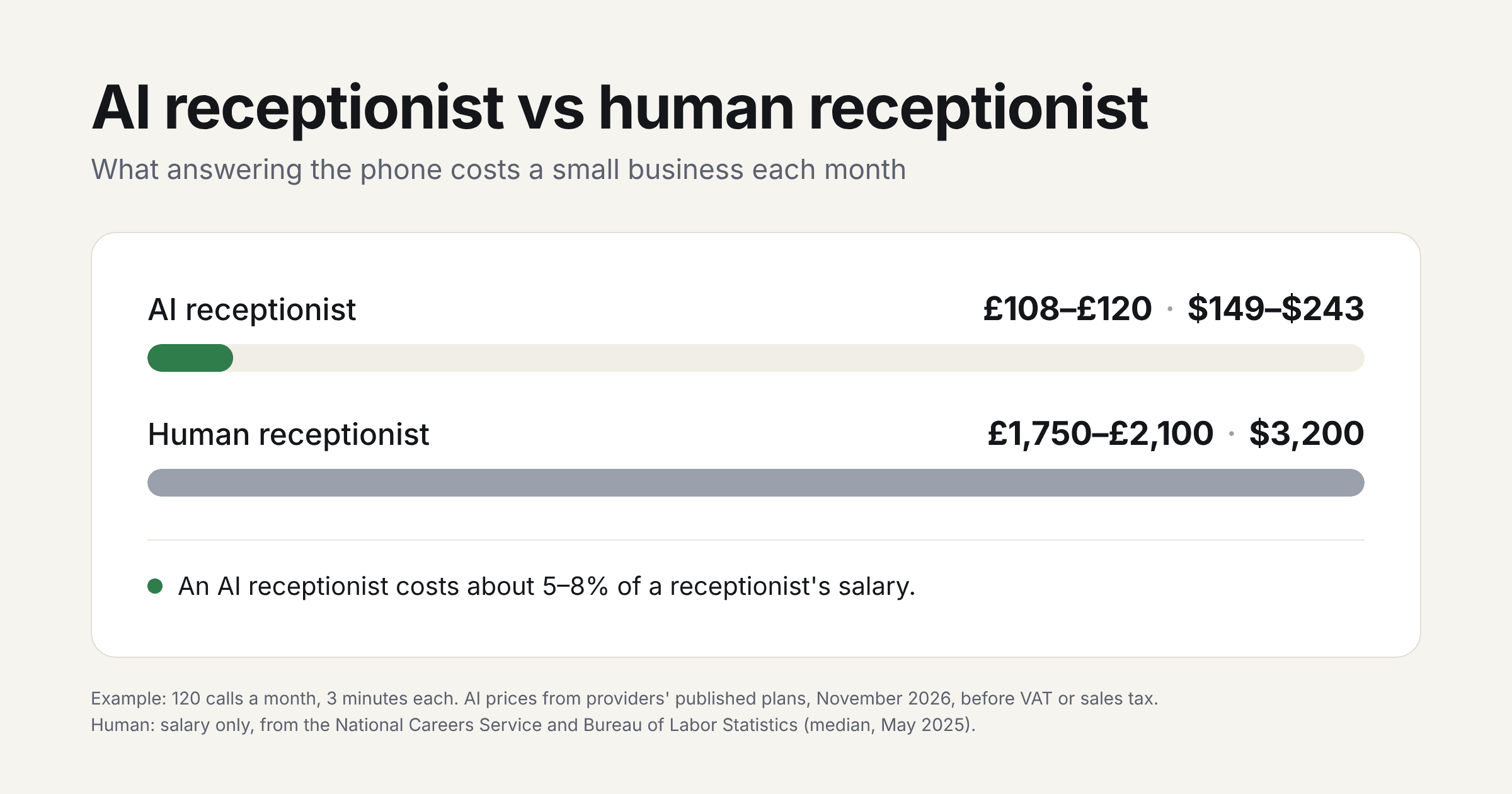
So for this business, an AI receptionist costs roughly £108–£120 or $149–$243 a month, depending on the provider.
Costs that are easy to miss
AI receptionist vs human receptionist: which costs less?
On cost alone, an AI receptionist is far cheaper. A full-time receptionist earns about £21,000–£25,000 a year, according to the National Careers Service, or a median of $38,010 a year according to the Bureau of Labor Statistics. That's roughly £1,750–£2,100 or $3,200 a month, before taxes, benefits, pension and holiday cover.
| AI receptionist | Human receptionist | |
|---|---|---|
| Monthly cost | About £30–£120 or $49–$300 | About £1,750–£2,100 or $3,200, plus employer costs |
| Hours | 24/7, including weekends | Usually 37–40 hours a week |
| Calls at once | Several | One |
| Difficult or emotional calls | Weak | Strong |
| Other work (post, visitors, admin) | No | Yes |
But it isn't really either-or. A receptionist does far more than answer the phone. For most small businesses the choice is between an AI receptionist and nobody: the owner answering between jobs, or calls going to voicemail. That's where an AI receptionist pays for itself fastest.
Many businesses use both. The AI covers evenings, weekends, lunch breaks and busy periods, and the team handles the calls that need a person.
Do you need an off-the-shelf tool or a custom setup?
Most small businesses should start with an off-the-shelf AI receptionist. It's cheap, quick to set up and easy to cancel. You need something more when calls have to do real work inside your business.
An off-the-shelf tool is usually enough if:
It's worth connecting it to your systems if:
Here's an example. For a service business, the useful question isn't "can AI answer the phone?" It's "what should happen after the call?" If a caller wants a quote, the assistant should capture the type of job, the postcode or zip code and how urgent it is, create or update the record in your CRM, and alert the right person. Just emailing you a transcript leaves the real work to you.
That second list is where an AI receptionist stops being a phone tool and becomes part of how your business runs. The phone answering is the easy part. The value is in what happens to the information afterwards. We cover this in more detail in how AI qualifies leads before your sales team talks to them and automating lead routing across CRM, Slack and email.
When is an AI receptionist not worth it?
An AI receptionist isn't right for every business. It's probably not worth paying for if:
In these cases, fix the basics first or keep a person on the phone.
How do you set up an AI receptionist?
You can set up a basic AI receptionist in an afternoon. Getting it to answer well takes a week or two of testing and tweaking.
What are the rules on using an AI receptionist?
There's no general ban on AI receptionists, but the rules on personal data and call recording still apply. Many AI receptionists record and transcribe calls, so check three things:
A simple greeting covers most of this: "Hi, you've reached [business]. I'm the virtual assistant, and this call may be recorded." Telling callers they're speaking to an AI is also good manners, and most people don't mind once they know.
This is a summary, not legal advice. If you work in a regulated sector or handle sensitive information, check with a lawyer or your data protection officer.
How Axonari can help
Axonari is an AI automation and web engineering practice with offices in London and Jaipur. We don't sell phone receptionists. We build the AI assistants and automations that make sure every enquiry, from a call, a form or a chat, ends up in the right place and gets acted on.
We're rated 5.0 on Clutch and Top Rated Plus on Upwork. For a wider view of pricing, see our guide to AI automation costs. See our AI automation service →
Missing calls, or drowning in the ones you get? Book a free first conversation. Tell us how many calls you get and what happens to them now, and we'll tell you what's worth automating and what isn't. Book your free call →
About the author
Kartik Anand is a Partner at Axonari. He works on AI automation for small and growing businesses, including in regulated sectors such as healthcare, financial services and manufacturing.