💡 Executive Summary
Your sales team is missing opportunities while leads sit unassigned in inboxes. Companies lose 79% of marketing leads due to routing delays, with an average response time of 47 hours.
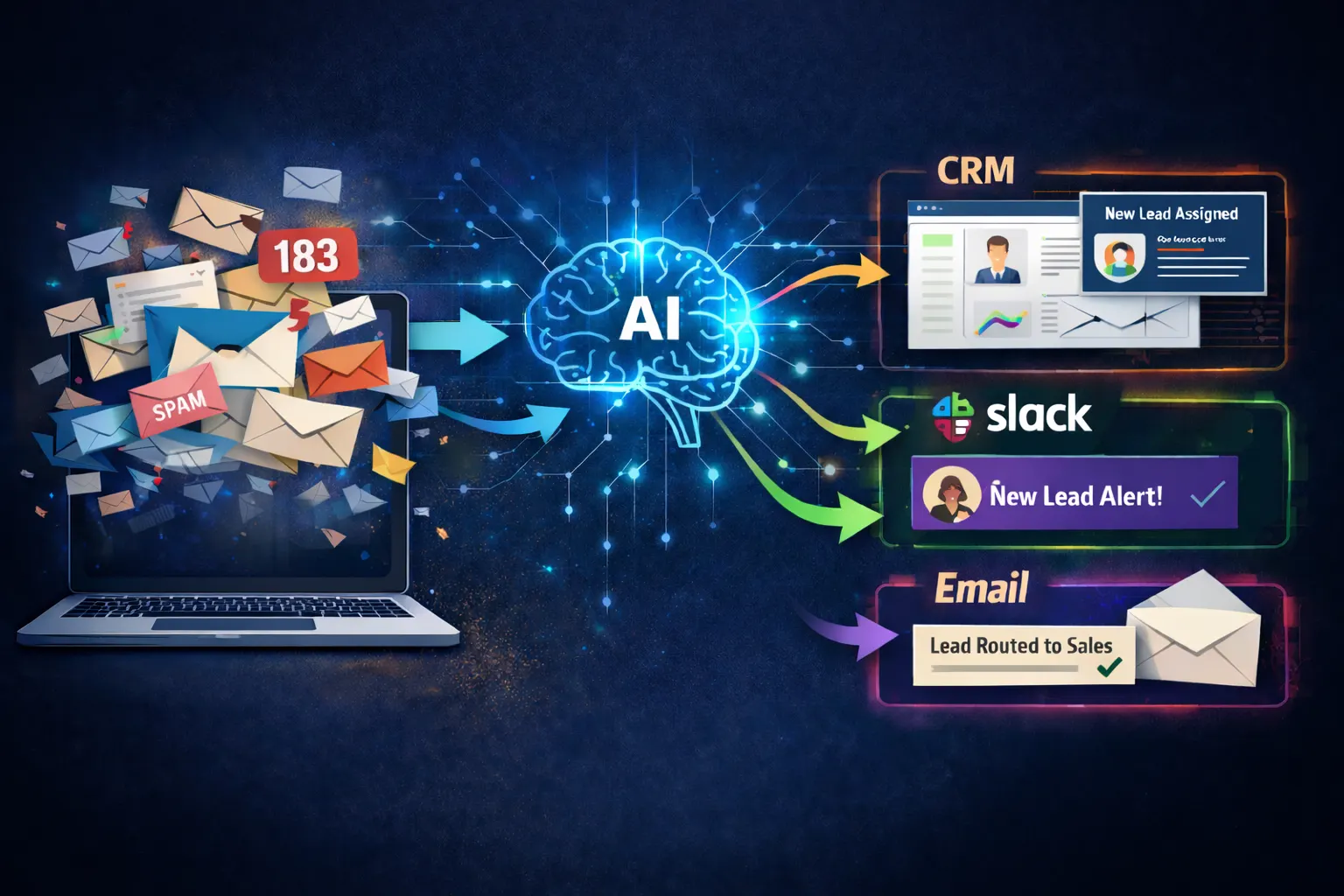
Automated lead routing connects your CRM, Slack, and email into one intelligent system that assigns leads in seconds, not hours, increasing qualification rates by up to 21x.
If your sales reps are wasting 21% of their day on administrative tasks instead of selling, you are competing with one hand tied behind your back.
Stop Losing Leads to Competitors
We help B2B companies design and implement custom automated lead routing systems in 2 to 4 weeks.
The Real Cost of Manual Lead Routing
Companies that respond to leads within 5 minutes are 100 times more likely to connect with the decision-maker than those who wait 30 minutes. Yet the median lead response time across B2B companies is 42 hours. This delay breaks down in three critical ways:
Speed is Everything
Leads contacted within 5 minutes are 21 times more likely to qualify than those contacted after 30 minutes. Manual review only happens during business hours, leaving evening and weekend leads to cold-start on Monday.
Context Loss
Manual routing often strips away behavioral signals, like which demo they watched or how many times they visited the pricing page, leaving reps to call with no insight into buyer intent.
Poor Prioritization
Without automation, high-value prospects often get auto-assigned to junior reps based on broken round-robin logic, while senior AEs spend time on tire-kickers who just wanted a free whitepaper.
Speed is the New Currency
The difference between a closed deal and a lost lead is measured in seconds.
Manual Sifting
Leads wait for a human to review, categorize, and assign. By then, they've already moved on.
Average Response Time
Instant Execution
Leads are enriched and routed to the right rep in real-time. Contacted while interest is at its peak.
Total Processing Time
How Automated Lead Routing Works
Stage 1: Lead Capture and Data Enrichment
When a lead enters through any channel, the system immediately enriches it with firmographic details (company size, industry, revenue) and behavioral signals (pricing page visits, demo views). This happens in milliseconds.
Stage 2: Intent Scoring and Prioritization
The system evaluates factors like job title relevance and urgency signals. A prospect from a Fortune 500 company who visited your pricing page three times gets a higher score than a whitepaper downloader.
Stage 3: Intelligent Assignment Logic
Routing goes beyond simple round-robin. You can assign by industry expertise, current account ownership, deal size potential, and even time zone alignment.
Stage 4: Multi-Channel Notification
The system notifies the rep via CRM, Slack, and Email simultaneously. The rep sees the notification within seconds and can respond immediately, even from mobile.
The Technology Stack
Case Study: Slack
The Problem
Demo requests triggered only an email to the manager who reviewed them once daily. Average response time was 18 hours, causing a 60% lead-to-opportunity drop.
The Solution
Implemented automated routing using Make and HubSpot. Clearbit enriched leads, and the system assigned priority scores from 1 to 100 before instant Slack notifications.
The Outcome
Video: Lead Routing Automation in Action
Watch how intelligent automation handles the entire lead routing process from capture to CRM assignment in real-time.
30-Day Implementation Roadmap
Week 1 Audit & Map
Document every lead source (forms, ads, events) and map the current flow. Calculate baseline metrics like average response time and conversion.
Week 2 Define Logic
Identify ICP criteria (company size, tech stack). Create priority tiers: Hot (immediate), Warm (1 hour), and Cold (next business day).
Week 3 Build & Test
Connect integrations via Make or Zapier. Test with sample leads to verify routing logic, Slack alerts, and CRM data accuracy.
Week 4 Launch & Monitor
Activate pilot for one source. Monitor performance daily and collect rep feedback. Roll out to all lead sources once validated.
Start Building Your Operational Advantage
Don't let manual routing leave money on the table. The companies that win in 2026 will be the ones that automate their response speed.
Related Insights
The Rise of Internal Tool Builders
Why every growing company needs a dedicated role for operation tools.
Agentic AI in Action: 3 Success Stories
See how autonomous agents are transforming healthcare and finance.