Quick Answer
Executive Summary
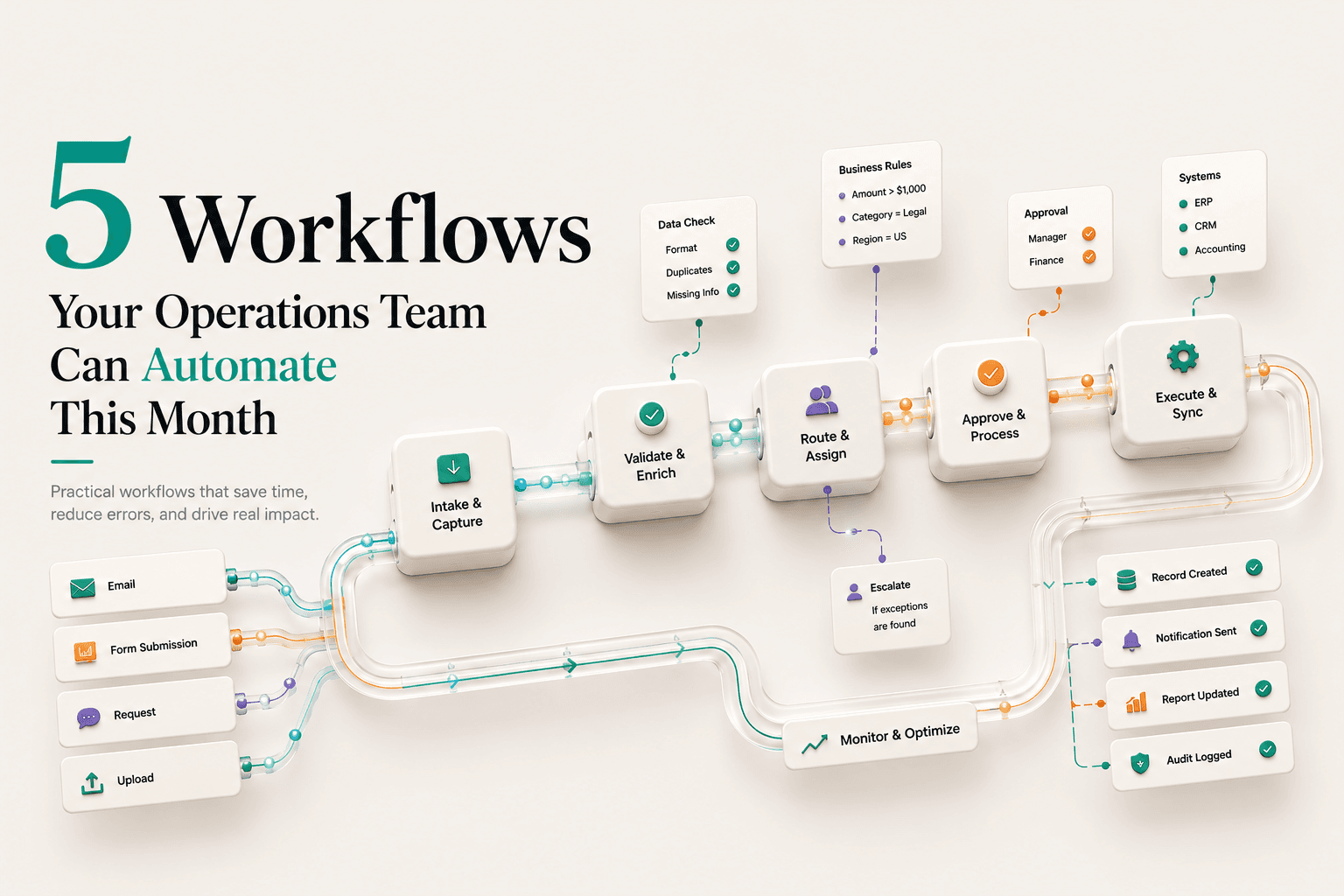
Operations teams don't need to wait for the perfect AI strategy. You already have bottlenecks that are easy to fix. Invoice routing. Expense categorization. Payment reconciliation. Report generation. Customer feedback sorting. These are practical automation use cases many teams are already implementing. The question is whether you fix them now or keep burning team hours on manual work.
The Setup
Your operations team runs on three things: spreadsheets, email, and hope. Every day, someone manually categorizes expenses. Someone routes invoices to the right approver. Someone pulls data from three systems and glues it together into a report. Someone reads through customer feedback and assigns it to the right department.
This isn't incompetence. This is what modern operations looks like when you don't automate. And the gap between manual and automated? It's smaller than you think.
In fact, research by McKinsey in their benchmark study, "Robotic Process Automation and the Future of Work" , underscores that workflow automation delivers immediate operational stability and clear ROI for early-adopting operations teams. The workflows below aren't theoretical. They're running in production at companies right now. They take weeks to set up, not months. They don't require engineering teams. Additionally, they provide a quick and easy return on your investments.
Automated Invoice Routing
The Problem
Invoices land in email. They check the vendor name. Cross-reference which team actually bought it. Hunt down the right approver. Send it over. Do it again. And again.
The Automation
Set up a workflow that:
✓ Reads the invoice PDF (vendor name, amount, department code)
✓ Matches it against your vendor database
✓ Routes it to the correct approval chain automatically
✓ Logs it in your accounting system
✓ Sends a Slack notification to the approver
The Impact: One person's full-time job disappears. Approvals happen in hours instead of days. Fewer invoices get missed.
Automating Expense Reviews
Employees submit expenses. Finance manually categorizes them (meal, travel, supplies, entertainment). They check receipts for compliance. They flag suspicious items. This is 8-10 hours of manual review per week.
Deploy a system that:
✓ Pulls the key details from receipts so your team doesn't have to enter them manually
✓ Auto categorizes based on rules you define
✓ Flags expenses that fall outside company policy, such as overspending or unapproved vendors
✓ Calculates tax implications
✓ Feeds approved expenses directly into accounting
The Impact: Finance team shifts from data entry to strategy. Compliance improves (fewer policy violations). Turnaround time drops from 5 days to hours.
Workflow Automation Demo
See an Automated Expense Approval Workflow in Action
Payment Reconciliation
Invoices have been approved and sent. Payments need to be matched against bank records. If they don't match, someone has to investigate. This happens daily and takes 2-3 hours.
Build a workflow that:
✓ Pulls pending invoices from your accounting system
✓ Pulls bank transaction data
✓ Automatically matches them (vendor name, amount, date range)
✓ Flags mismatches (invoice paid twice, partial payment, wrong amount)
✓ Generates a daily reconciliation report
✓ Alerts finance if something needs investigation
The Impact: Manual reconciliation drops from daily to occasional exception handling. You catch payment errors faster.
Reports That Build Themselves
Teams waste hours every week jumping between tools, collecting data, and turning it into reports leadership can actually use. They massage it into a spreadsheet. They send it to leadership. Half the time, someone asks for a different format and they rebuild the whole thing.
Create a system that:
✓ Automatically pulls data from all three systems on a schedule
✓ Transforms it into a standardized format
✓ Generates visual reports (charts, tables, key metrics)
✓ Sends them to leadership email or Slack automatically
✓ Lets leaders ask for specific insights instantly without rebuilding reports from scratch
The Impact: Hours spent building reports manually shrink dramatically. Reports stay up to date. Leadership gets data in minutes, not hours.
AI Reporting Workflow
How AI Agents Can Automate Reporting and Data Analysis
Customer Feedback Routing and Categorization
Customer feedback comes through emails, chat messages, and survey responses. Someone reads it all. Manually assigns it to product, support, or sales. Tags it as bug, feature request, or complaint. This creates delays in response and feedback gets lost.
✓ Collects customer input from multiple channels and organizes it in one workflow
✓ Analyzes sentiment and intent
✓ Auto categorizes (bug vs feature vs complaint vs praise)
✓ Routes to the right team (product, support, sales)
✓ Creates tickets in your project management system
✓ Notifies the relevant team lead
The Impact: Feedback doesn't get lost. Teams respond faster. You get structured data on what customers actually want.
This customer satisfaction loop directly impacts operational scalability. In their magic quadrant analysis on hyperautomation, Gartner reports on the Hyperautomation of the Enterprise , explaining that integrating intelligent process management suites results in immediate margin gains and a 30% reduction in long-term customer attrition.
How to Actually Start
Pick one workflow. The one that wastes the most team hours right now. Start with one workflow instead of changing everything at once.
Here's the sequence:
The Real Cost of Waiting
The cost of manual operations adds up faster than most teams realize. That's the cost of your team doing work that's already solved. The tools exist. The patterns are known. Most teams can get these workflows up and running within a few weeks, not months.
In their analysis of "The Automation Opportunity" , BCG details how companies delay automation to their own detriment, sacrificing 4-6% in operational margins every year to manual lag. Delaying process automation directly translates to lost margins and slow operational scaling.
For most teams, the bigger challenge is deciding where to begin.
Suggested Videos
Orchestrating Multiple AI Agents
Multi-Agent AI Teams: How to Orchestrate
Ready to Stop Wasting $150K+ Annually?
Most operations teams are stuck in manual workflows that can be automated in weeks. Partner with Axonari to identify your highest-impact automation opportunities and build your 90-day roadmap.
Tags: Operations · Automation · Workflows · Finance · Expense Review · Invoices · RPA
Need an Automation Audit?
Find out which repetitive workflows in your business are ready for automation today and where human oversight still matters.